This post describes shortly how to enable multiple site bindings in WCF 4.0. Open IIS 7 Manager and create new site. Add two bindings to the site like shown in the picture below:
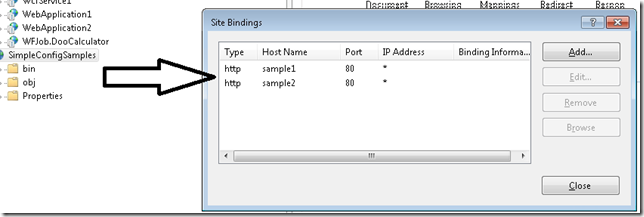
After that either configure your DNS or change host file %SYSTEM%\System32\drivers\etc\hosts like:
127.0.0.1 sample1
127.0.0.1 sample2
When you now browse now for the service page by http://sample1/MyService.svc or http://sample2/MyService.svc you should get following error:
This collection already contains an address with scheme http. There can be at most one address per scheme in this collection. If your service is being hosted in IIS you can fix the problem by setting 'system.serviceModel/serviceHostingEnvironment/multipleSiteBindingsEnabled' to true or specifying 'system.serviceModel/serviceHostingEnvironment/baseAddressPrefixFilters'.
Parameter name: item
To make this working open the service’s config file and add following in the serviceModel element:
<serviceHostingEnvironment multipleSiteBindingsEnabled="true" />
That’s all…
Posted
Feb 28 2010, 01:00 AM
by
Damir Dobric