Imaging you have a WCF Web Service which works fine. Unfortunately it can happen that following error occurs when somebody else try to start the service:
Could not load file or assembly 'Microsoft.VisualStudio.QualityTools.HostAdapters.ASPNETAdapter, Version=10.0.0.0, Culture=neutral, PublicKeyToken=b03f5f7f11d50a3a' or one of its dependencies. The system cannot find the file specified
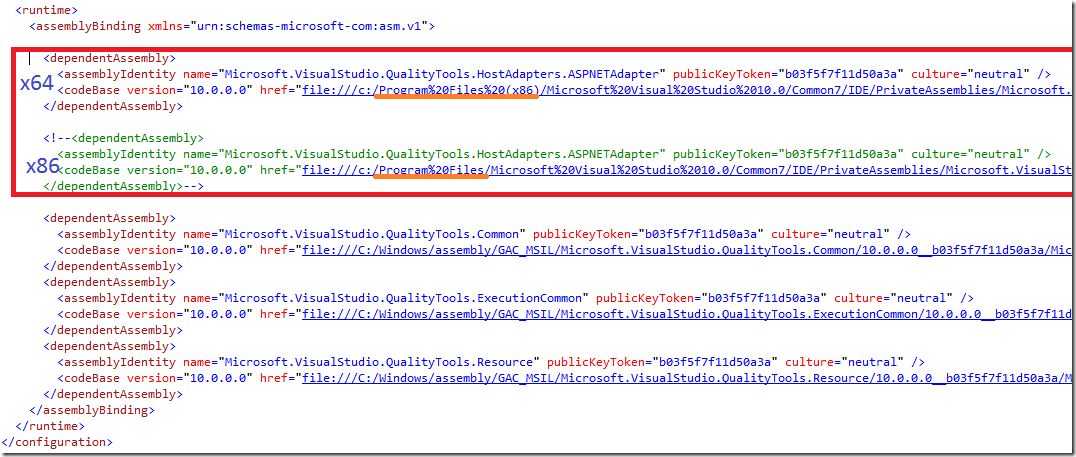
This error is caused by mixed development environment. That means you have build the service with .NET 4 at he x64 machine and somebody else is trying to host the service at his x86 development machine.
The solution is simple. Following picture shows configuration for both environments.
Hope this helps.
Posted
Mar 18 2011, 07:16 PM
by
Damir Dobric